Chrome Text Effects: Elevate Your Design with Metallic Shine
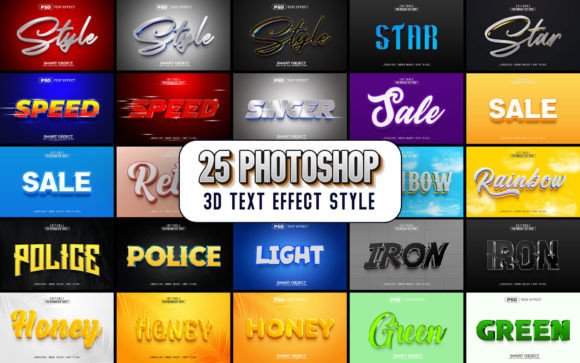
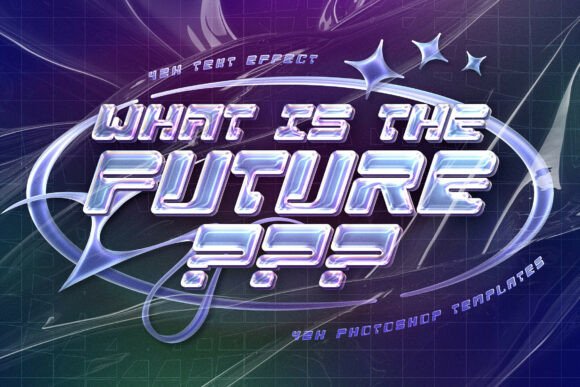
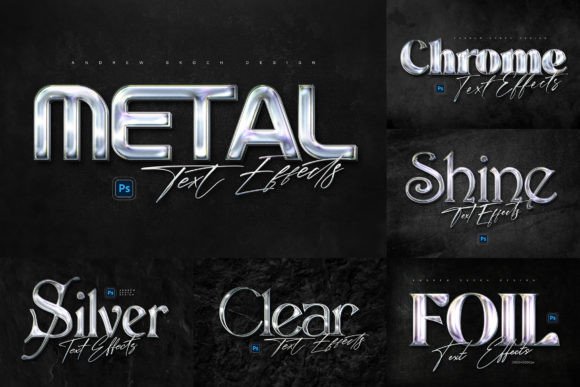
Imagine your headlines catching the light, your logos gleaming with industrial precision, and your social media graphics stopping the scroll with a single, polished look. Chrome Text Effects offer a powerful and trendy way to present your text, shapes, or logos in a cool metallic style that instantly communicates modernity and quality. This collection provides six distinct, shiny chrome effects, each designed to transform your typography and design elements into eye-catching focal points. With these assets, you can easily create professional wall sign effects on realistic dark wall textures, adding depth and context to your visual storytelling.
Practical Applications for Chrome Effects
The versatility of high-quality chrome text effects makes them invaluable across numerous design disciplines. They are not just for creating flashy titles; they serve as strategic tools for enhancing visual hierarchy and brand perception. Consider how a metallic finish can elevate a project:
- Branding and Logo Design: A chrome effect on a logo can convey strength, innovation, and a premium brand identity, perfect for tech companies, automotive brands, or luxury products.
- Marketing and Social Media Graphics: Create standout Facebook covers, YouTube banners, and Instagram posts. The reflective quality of chrome grabs attention in crowded feeds, boosting engagement for announcements, promotions, or cinematic titles.
- Web and UI Design: Use chrome elements for website hero sections, app icons, or UI buttons to add a tactile, high-end feel. This enhances user experience by making interfaces feel more dynamic and interactive.
- Editorial and Packaging Design: In magazine layouts or product packaging, a chrome effect on headlines or product names can create a striking visual anchor, improving readability and shelf appeal.
Streamlining Your Design Workflow
Efficiency is key in any creative project. These chrome text effects are built with a smart object replacement system, making the editing process incredibly straightforward. You simply place your design into the smart object layer, save, and the effect is applied automatically across all six PSD files. This eliminates complex layer management and allows for rapid experimentation. The templates are well-organized and fully editable, ensuring you maintain complete creative control. Each file is optimized at 3000×2000 pixels and 300 DPI, making them suitable for both digital and high-resolution print projects.
Tips for Effective Implementation
To maximize the impact of chrome text effects, thoughtful application is essential. First, consider your color palette and background. Chrome shines brightest against contrasting, darker textures or solid, muted colors that don’t compete with its reflective properties. Ensure the typography you choose is bold and clear; intricate or thin scripts can get lost in the metallic texture. Always maintain visual hierarchy—use chrome for key headlines or logos, not for body text where readability is paramount. Finally, check the effect’s consistency with your overall brand identity. A sleek chrome finish should complement your existing design system, not clash with it.
Ultimately, investing in premium creative assets like these chrome text effects is an investment in your design workflow and final output. They provide a quick, reliable way to achieve a polished, professional presentation that resonates with contemporary aesthetics. Whether you’re crafting a cinematic title, designing merchandise, or building a social media campaign, the right visual effect can significantly enhance communication and leave a lasting impression on your audience.